



You can use a USB drive as temporary storage, then move GTA 6 back to a supported drive before playing. For playable expansion storage, use a compatible M.2 SSD installed in the PS5 or a compatible Storage Expansion Card for Xbox Series X|S.
That’s the short answer. The detail matters, because buying the wrong kind of drive is an expensive mistake when PlayStation advises 212 GB of free space for GTA 6 on PS5. This guide explains which drives can play GTA 6 and which can only store it, what specifications to look for, and how to use the drive you already own to make room.
Which storage can play GTA 6?
| Storage option | How to use it |
|---|---|
| PS5 console storage | Install and play. |
| Compatible PS5 M.2 SSD | Install and play after fitting it in the console. |
| PS5 USB extended storage | Store the PS5 game and copy it back to playable storage. |
| Xbox Series X|S internal storage | Install and play. |
| Compatible Xbox Storage Expansion Card | Install and play supported Series X|S titles. |
| Xbox external USB storage | Use as storage and move the Series X|S game back to playable storage. |
The rule behind this is the same on both consoles. Games built for PS5 and Xbox Series X|S expect the speed of the console’s own SSD. Storage that matches that speed, the M.2 slot on PS5 or the expansion card slot on Xbox, can run them. A USB connection can’t, however fast the drive inside is.
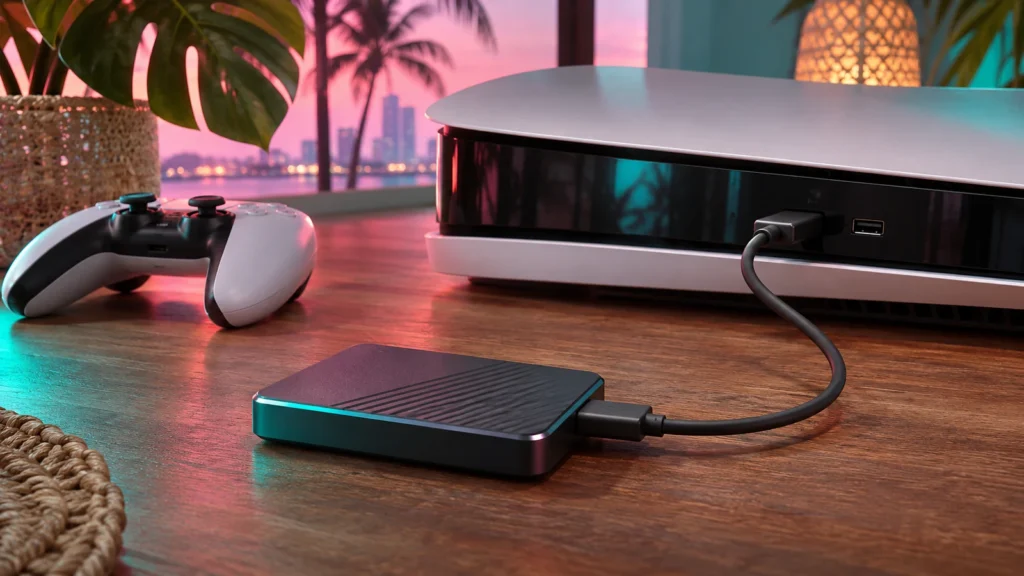
PS5: M.2 SSD or USB extended storage?
An M.2 SSD fits into the console’s expansion slot. Check PlayStation’s compatibility guidance before buying one, including its size and cooling requirements. A USB drive can still help when you want to move an installed game out of the way for later. Budget room on your playable drive for GTA 6 when you move it back.
What to look for in a PS5 M.2 SSD
PlayStation publishes the requirements for M.2 drives. The main points are:
- Interface: PCIe Gen4 x4 M.2 NVMe SSD.
- Capacity: 250 GB to 8 TB. For GTA 6 plus a library, 1 TB or 2 TB is a practical size.
- Speed: PlayStation recommends a sequential read speed of 5,500 MB/s or faster.
- Size: the slot supports common M.2 lengths, including the widely sold 2280 size.
- Cooling: a heatsink or heat-dissipating structure is required. Many drives sold for PS5 include one.
After fitting the drive, the PS5 formats it the first time you turn the console on. You can then choose it as the install location under Settings → Storage → Installation Location. Check PlayStation’s own M.2 page before you buy, because requirements and supported sizes can be updated.
Using USB extended storage on PS5
A USB drive must be SuperSpeed USB 5 Gbps or faster and between 250 GB and 8 TB to work as extended storage. Once formatted, you can:
- Store PS5 games on it, then copy them back to console or M.2 storage to play.
- Play PS4 games directly from it.
For GTA 6, that makes a USB drive a parking space. Move other PS5 games onto it, install GTA 6 on the internal drive, and copy the parked games back whenever you want to play them. Copying is usually much quicker than downloading again.
Xbox: Expansion card or USB SSD?
An expansion card fits the dedicated expansion slot. A USB SSD connects through USB even if it has a similar advertised speed or capacity. Check that a drive is designed for the expansion slot before buying it for playable storage. If you already have a USB drive, consider moving another large game to USB to make room for GTA 6 on the internal drive.
Storage Expansion Cards for Xbox Series X|S
Storage Expansion Cards plug into the dedicated slot on the back of the console and act like the internal SSD. Games installed on them run exactly as they would internally, with features like Quick Resume. Only cards made for the Xbox expansion slot work. Generic SSDs don’t fit, even fast NVMe drives.
Using a USB drive on Xbox Series X|S
A USB drive needs to be USB 3.1 Gen 1 or faster with at least 128 GB of space to be used for games. On a USB drive you can:
- Store Xbox Series X|S games, then move them to the internal drive or expansion card to play.
- Play Xbox One, Xbox 360 and original Xbox games directly.
That makes USB ideal for older games. Move your Xbox One library to USB and you free internal space for GTA 6 without losing access to anything.
Check the destination before you move or install
Open the console’s storage screen and note the free space on each drive. Compare it with the current GTA 6 requirement, then select the destination you intend to use. If you’re trying to avoid another long download, transferring an existing installation between drives may be the simpler option.
How to move a game between drives
On PS5: go to Settings → Storage, select the drive the game is on, open Games and Apps, choose Select Items to Move, tick the games, and choose Move.
On Xbox: go to Settings → System → Storage devices, select the drive, choose View contents, select the games, and choose Move or Copy.
How long does moving a game take?
Moving or copying a game between drives runs at the speed of the slower drive and its connection. Over USB that’s usually far quicker than downloading the same game again, especially on a slow or busy internet connection. Moving a game of 100 GB or more can still take a while. Start large moves before you want to play, leave the console alone while they run, and don’t unplug the drive until the move finishes.
What happens when you format a new drive?
The first time you connect a new USB drive or fit a new M.2 SSD or expansion card, the console asks to format it. Formatting erases everything already on the drive, so copy off any files you want to keep first, for example on a PC. After formatting, the drive is set up for that console’s game storage. You can choose it as an install or move destination from the storage settings.
Can one USB drive work for both PS5 and Xbox?
Not at the same time. Each console formats the drive its own way, so a drive formatted for an Xbox has to be formatted again, losing its contents, before a PS5 can use it. If you have both consoles, use a separate drive for each.
Common mistakes to avoid
- Buying a fast USB SSD for playable storage. It can store GTA 6 but can’t run it on PS5 or Series X|S.
- Buying an M.2 drive without cooling for PS5. Fit a heatsink if the drive doesn’t come with one.
- Installing to the wrong drive by default. Check the default install location on each console before starting the GTA 6 download.
- Unplugging a USB drive mid-transfer. Wait for the move to finish, or the copy can fail and you’ll start again.
Is it worth upgrading storage for GTA 6?
If GTA 6 is the only big game you play, clearing space is free. If you keep several large games installed, extra playable storage saves you constant juggling. Here’s a rough way to decide:
| Your situation | Sensible choice |
|---|---|
| Few games installed | Clear space and skip buying storage. |
| Large library, fast internet | Delete and redownload as needed. |
| Large library, slow internet | Add playable storage (M.2 or expansion card), or use a USB drive as a parking space. |
| Xbox Series S 512 GB | Strongly consider an expansion card. Space runs out quickly with GTA 6 installed. |
Frequently asked questions
Can I play GTA 6 from an external hard drive?
Not on PS5 or Xbox Series X|S. External USB drives can store the game, but it must be moved to internal storage, a compatible PS5 M.2 SSD, or an Xbox Storage Expansion Card to play.
Will an M.2 SSD make GTA 6 load faster than the PS5’s internal drive?
A drive that meets PlayStation’s recommended speed is designed to perform like the internal storage. Don’t expect a major loading improvement. The benefit is extra space.
Can I download GTA 6 straight to a USB drive?
On PS5, current-generation games must be installed to console storage or M.2 to play. Plan to download GTA 6 to playable storage directly, and use USB to park other games.
Does moving a game delete my saves?
No. Moving a game moves the installation. Saves are stored separately and aren’t affected.
Is a 1 TB or 2 TB drive better for GTA 6?
With PlayStation advising 212 GB for GTA 6 alone, a 1 TB drive holds GTA 6 plus a few other large games. A 2 TB drive gives you room to keep most of a big library installed. Choose based on how many large games you like to keep ready to play.
Related guides
- GTA 6 Install Size: How Much Space Do You Need on PS5 and Xbox?
- How to Free Up Space for GTA 6 on PS5 and Xbox
- How to Download, Install & Update GTA 6 on PS5 and Xbox
- GTA 6 Xbox Storage Plan: Internal SSD, Expansion Card or USB Drive?
- PS5 USB Backup Guide for GTA 6 Players Before a Reset or Repair
- GTA 6 on a PS5 M.2 SSD: Compatibility, Installation and Moving the Game