



If GTA 6 opens and then crashes, fully close the game, restart the console, and check for a game update before trying again. If it shows a lock or says you’re too early, start with the unlock guide. If the console displays an error code, record it when it appears.
Launch week is when startup problems are most common. Millions of consoles are installing the same game and its updates at the same time. Most problems come down to an unfinished update, a licence that hasn’t refreshed, or a console that needs a proper restart, and almost none require reinstalling a 200 GB game. This guide goes from the quickest fixes to the more involved ones, for PS5 and Xbox Series X|S.
Identify the launch problem
| What happens | First step |
|---|---|
| The console returns to the home screen | Fully close GTA 6, restart, and check for an update. |
| The game hangs on a loading screen | Check for a pending install or update, then retry after restarting. |
| Black screen with sound | Check the TV’s HDMI input and the console’s video output settings. |
| The TV shows no signal even outside the game | Check the TV input and HDMI connection. |
| A lock or ownership error appears | Verify launch time and the owning account. |
| An error code appears | Write it down exactly, then check platform status. |
Pin down which of these you’re seeing before changing settings. The fixes are different, and a careful note of the symptom makes support requests much quicker.
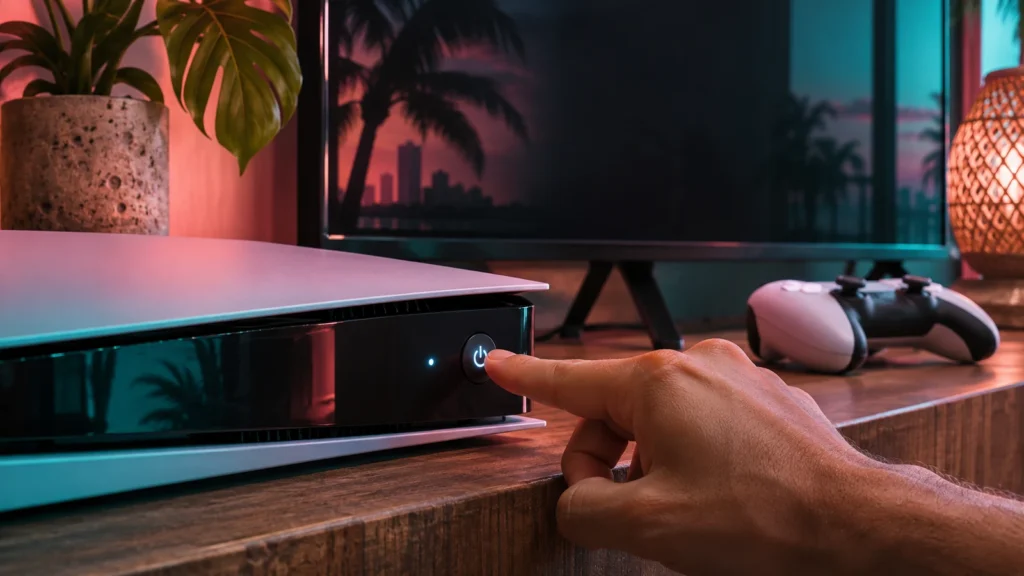
GTA 6 crashes on startup on PS5
Close GTA 6 from the game’s options menu. Restart the PS5, then highlight the game, press Options, and choose Check for Update. Open Downloads/Uploads to see whether an update or installation is still pending. Apply any available console system update and retry.
If the problem only happens when starting GTA 6, record the error and what you were doing just before the crash. If other games also fail to start, check PlayStation’s broader console troubleshooting guidance.
PS5 fixes, step by step
- Close the game completely. Highlight GTA 6, press Options, and choose Close Game. Starting again from a suspended state can repeat the same crash.
- Restart, don’t rest. Hold the PS button and choose Power → Restart PS5. Rest Mode keeps much of the system state, while a restart clears it.
- Finish updates. Check Downloads/Uploads for anything GTA 6 related. Wait until it shows as installed.
- Update the system software. Settings → System → System Software → System Software Update and Settings → Update System Software.
- Restore licences if you see a lock: Settings → Users and Accounts → Other → Restore Licenses.
- Rebuild the database as a later step. Turn the PS5 off, hold the power button until the second beep to enter Safe Mode, connect the controller by USB, and choose Clear Cache and Rebuild Database. It doesn’t delete games or saves, but it takes time.
What does a PS5 crash error code mean?
When a game crashes on PS5, the console often shows an error report with a code. CE-108255-1 is a general code PS5 shows when an application crashes. On its own it doesn’t tell you the cause. Note the code, send the error report if asked, and work through the steps above. If the same code keeps appearing in GTA 6 after updates and a database rebuild, include it when you contact support.
GTA 6 won’t start on Xbox Series X|S
Open the game’s menu and choose Quit if available, then restart the console. Check My games & apps → See all → Manage → Updates for a pending patch. If you recently moved the game, check that it’s installed on storage that can run Series X|S titles.
Xbox fixes, step by step
- Quit the game. Press the Xbox button, highlight GTA 6, press the Menu button, and choose Quit. Quick Resume can bring back a stuck state, so quitting fully matters.
- Full power cycle. Hold the power button on the console for about 10 seconds until it turns off. Wait a minute, then turn it back on. This clears more than a normal restart.
- Check updates and the queue. My games & apps → See all → Manage → Queue shows anything still installing.
- Check the storage location. Series X|S games won’t run from a USB drive. If GTA 6 is on USB, move it to internal storage or a Storage Expansion Card. See the external drive guide.
- Check Xbox status. Visit Xbox status. Sign-in and licence problems can stop games starting.
Stuck on a loading screen
A long first load is normal for a huge open-world game, especially the first time after installing or updating. Give it several minutes before deciding it’s frozen. If it really is stuck:
- Check the console’s queue for a GTA 6 update still installing in the background.
- Close the game fully and restart the console.
- Make sure the drive isn’t completely full. Leave free space for the game to write data.
- If you’re on Xbox, quit rather than leaving the game in Quick Resume.
Black screen or no picture
If you can hear the game but see nothing, the problem is usually the video signal, not the game. Try these:
- Switch the TV to the correct HDMI input and reconnect the cable at both ends.
- Connect the console directly to the TV, without a receiver or switch in between.
- Try the HDMI cable that came with the console.
- On PS5, if the screen stays black, enter Safe Mode and choose Change Video Output to reset resolution and HDR.
- If the picture fails only when HDR or 120 Hz is on, see the HDR guide and the frame-rate guide.
Crashes after playing for a while
If GTA 6 starts but crashes later, check how the console is set up physically:
- Ventilation. Give the console space on all sides, keep vents clear of dust, and don’t put it in a closed cabinet. Consoles under heavy load run hot.
- Storage. Leave free space on the drive the game uses.
- Updates. Patches often fix stability problems. Keep automatic updates on.
- Record what happens. Note where and when the crash happens. If it’s always the same mission or moment, that detail helps support and other players.
When to reinstall or contact support
Before reinstalling, check the platform’s support guidance and confirm the status of any saves you want to keep. A fresh install can take a long time. If you contact support, include the console model, game version, exact error code, and whether the game reaches its title screen. Mention if the issue affects several games.
Reinstalling makes sense only when the installed files are likely damaged: the same crash keeps happening at startup after updates, restarts and a database rebuild, and other games work normally. Reinstalling won’t fix licence locks, network outages or TV problems. Check your saves first. On PS5, cloud saves need PlayStation Plus. On Xbox, saves sync to the cloud automatically when you’re online.
Before you contact support: a quick checklist
Gather these details first. Support can then skip the basic questions and get to the cause faster:
- Console model: PS5, PS5 Pro, Xbox Series X or Xbox Series S.
- The GTA 6 version installed (see the update guide for where to find it).
- The exact error code and message, or a photo of the screen.
- Whether the game reaches the title screen, or crashes before it.
- What you’ve already tried: restart, updates, licence restore, database rebuild or power cycle.
- Whether other games start normally on the same console.
Frequently asked questions
Why does GTA 6 crash on PS5?
There isn’t one cause. Common ones are an unfinished update, a console that needs a full restart, a corrupted database, or overheating. Work through the PS5 steps above in order.
Why is GTA 6 stuck on the loading screen?
The first load after installing or updating can take a while. If it’s genuinely frozen, check for a pending update, close the game fully and restart the console.
Does reinstalling GTA 6 fix crashes?
Only if the installed files are damaged. Try updates, restarts and a database rebuild (PS5) or power cycle (Xbox) first, because reinstalling means downloading the whole game again.
Will a crash delete my save?
Usually not, but an unexpected shutdown during saving can risk data. Keep cloud saves enabled where available.
Is there a known GTA 6 launch bug?
We only list problems once they’re confirmed or widely reported. Check our update guide for patches and the platform status pages for outages.
Does GTA 6 need an internet connection to start?
Plan on being online at launch so the console can confirm your licence and install any update. Offline play later depends on your PS5 primary-console or Xbox home-console settings.
Related guides
- GTA 6 Download Stuck? PS5 & Xbox Installation Fixes
- GTA 6 Won’t Unlock After Downloading? PS5 and Xbox Checks
- GTA 6 Update Guide: Patch Sizes, Versions and How to Update
- How to Download, Install & Update GTA 6 on PS5 and Xbox
- GTA 6 on Xbox After a Long Break: Quick Resume and Fresh-Launch Checks
- GTA 6 Black Screen on PS5: Check HDMI, TV Inputs and Video Output
- GTA 6 No Sound on PS5 or Xbox? How to Fix Game Audio